3
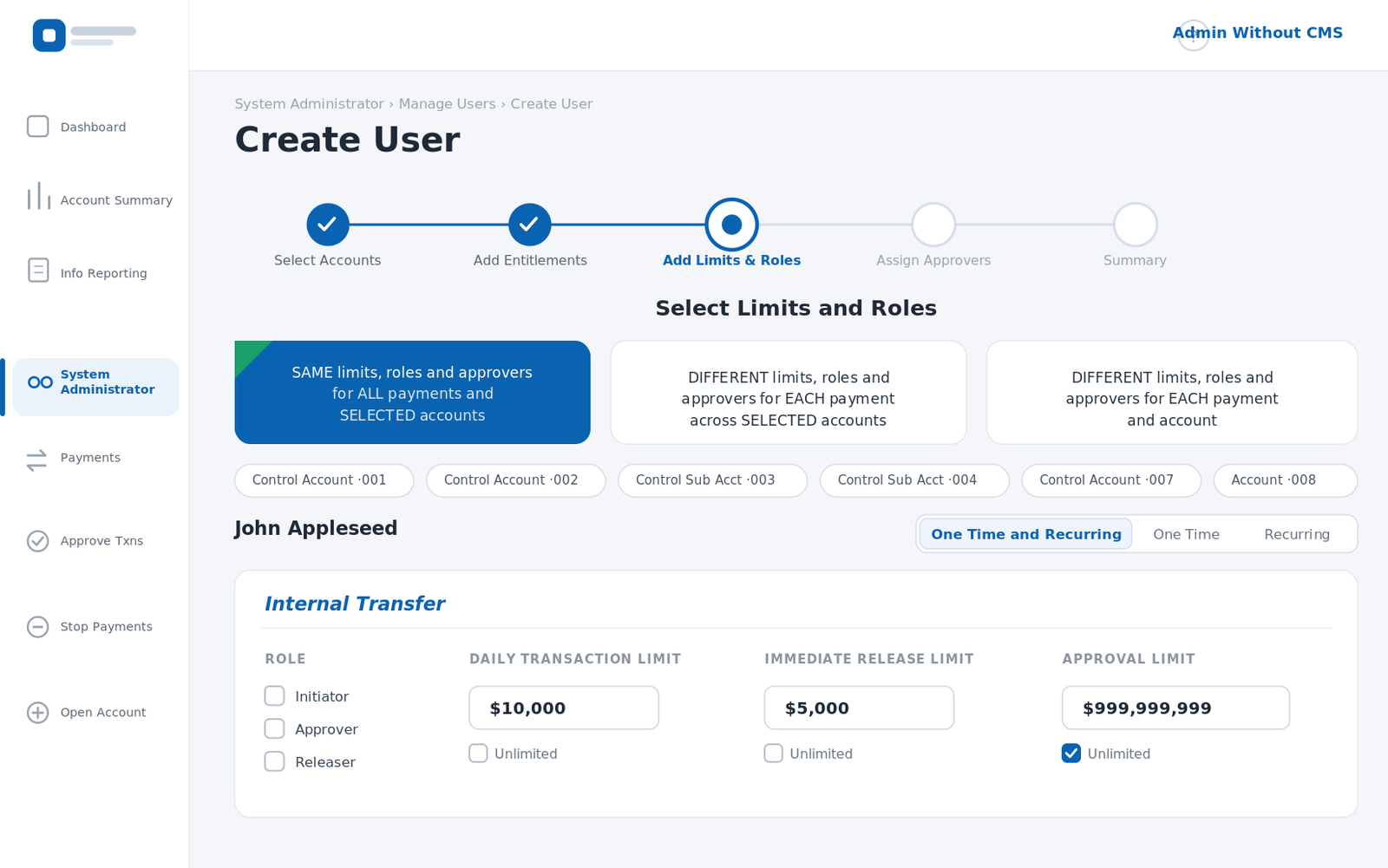
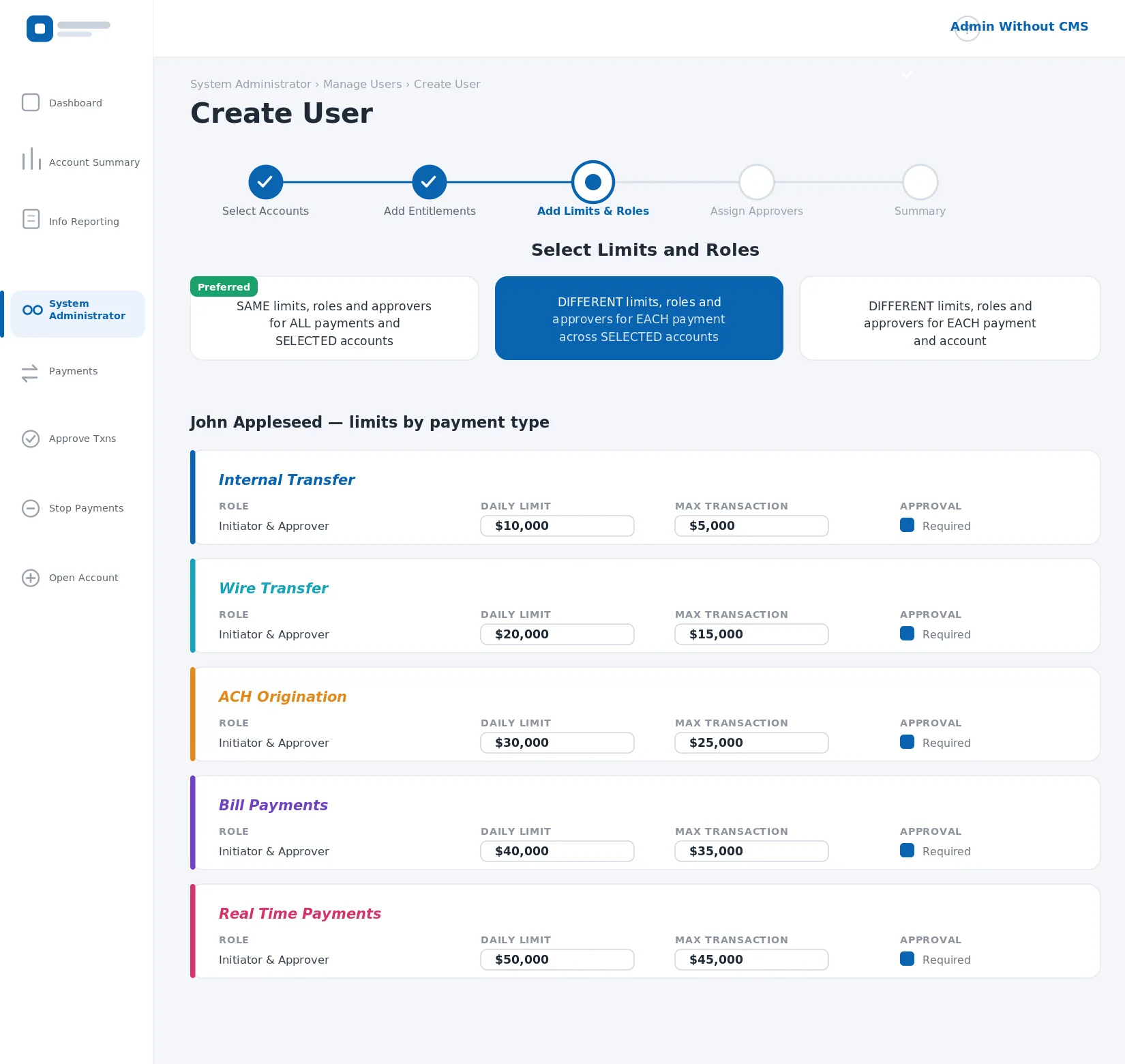
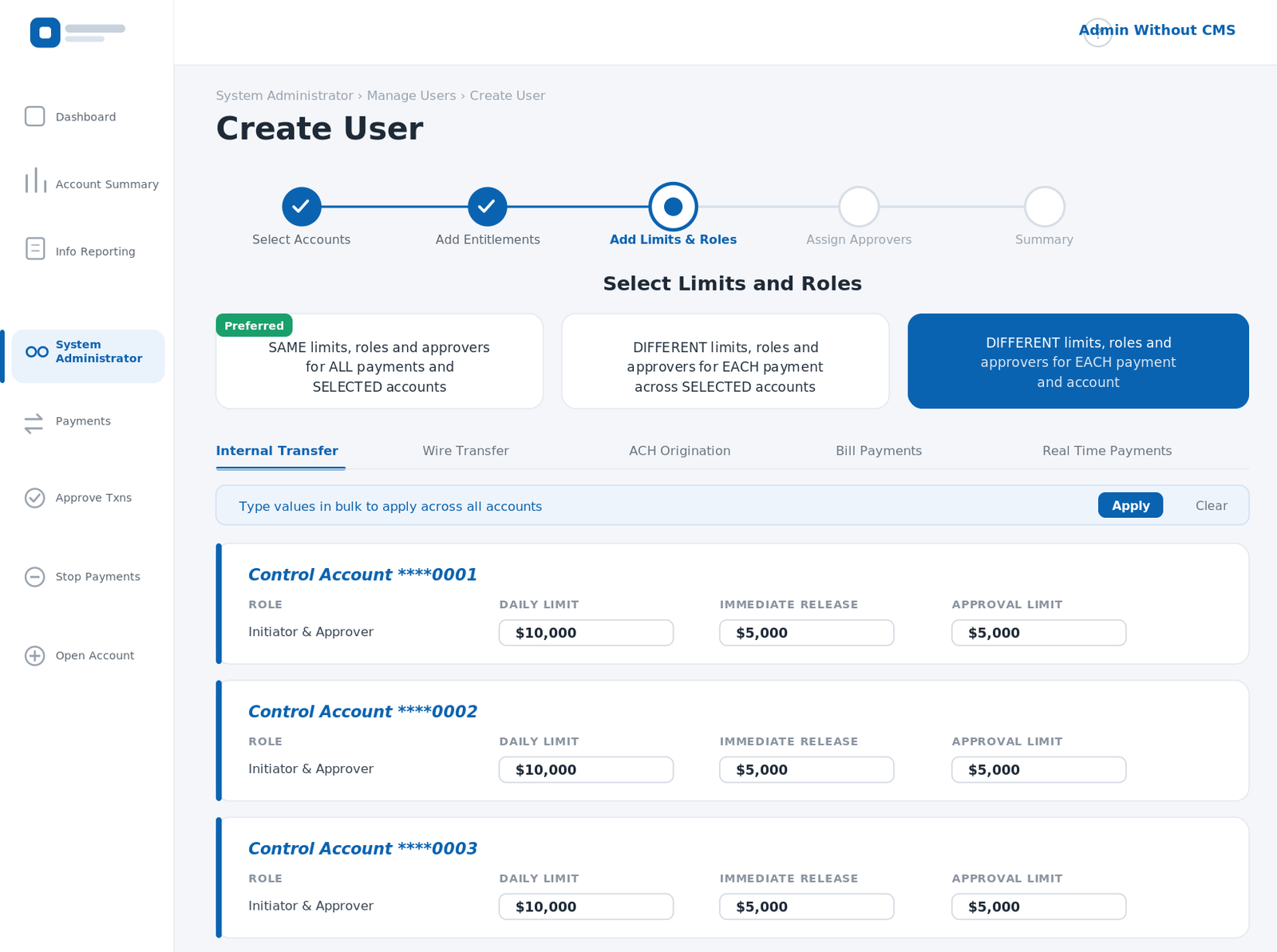
limit models — same, per type, per account


5
payment rails, each limit-aware
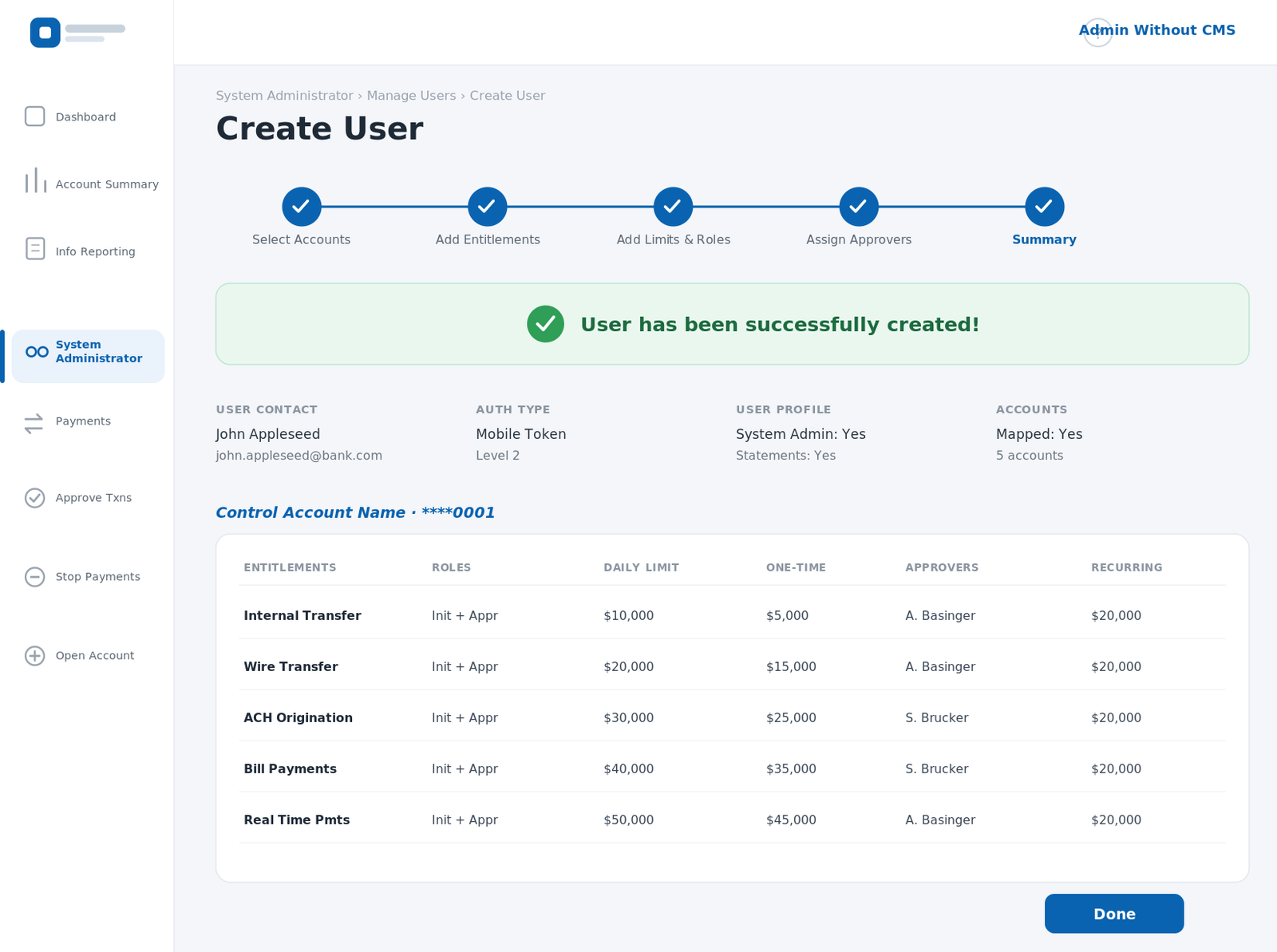
User createdevery rule rolled into one review
Deciding who can move money, how much, and who signs off — inside a global bank. One create-user flow that stays effortless for the simple case and scales to the hardest.
To create a user in the bank's platform, an administrator has to define entitlements — which accounts the person can touch, which payment types they can run, the daily and per-transaction limits, and who has to approve each amount. For one user that's a single rule. For another it's a matrix across five payment rails and dozens of control accounts.
The trap is obvious: build for the hardest case and the simple one drowns; build for the simple one and the bank outgrows it in a week.
Simple by default, granular on demand.
The flow leads with the easiest path and marks it plainly — the same limits, roles and approvers for all payments and selected accounts is the preferred choice, one click, done. The two harder models sit right beside it, chosen only when the user actually needs them.
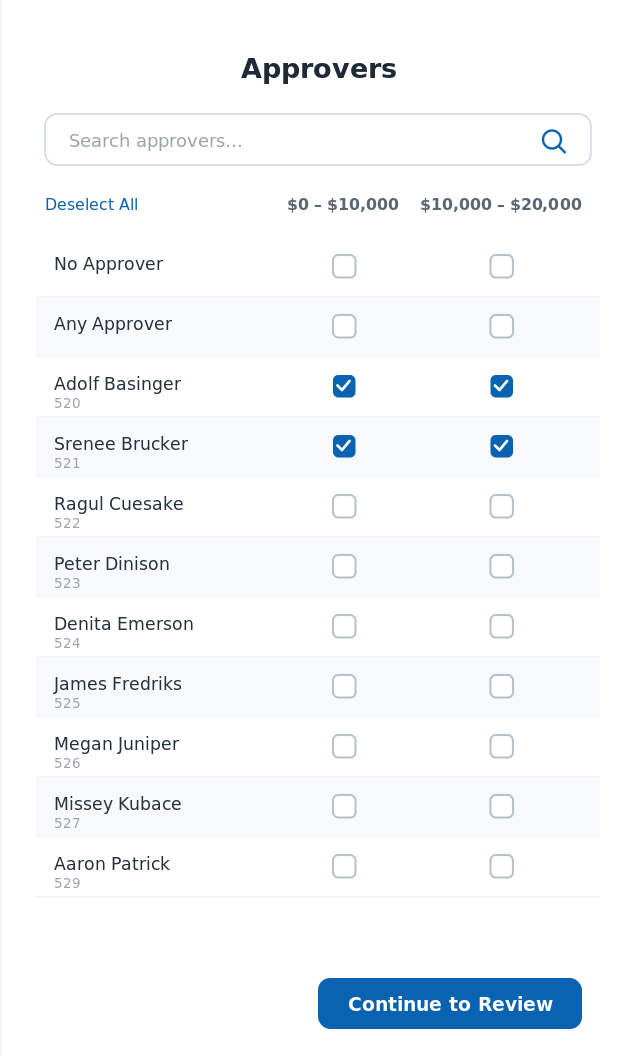
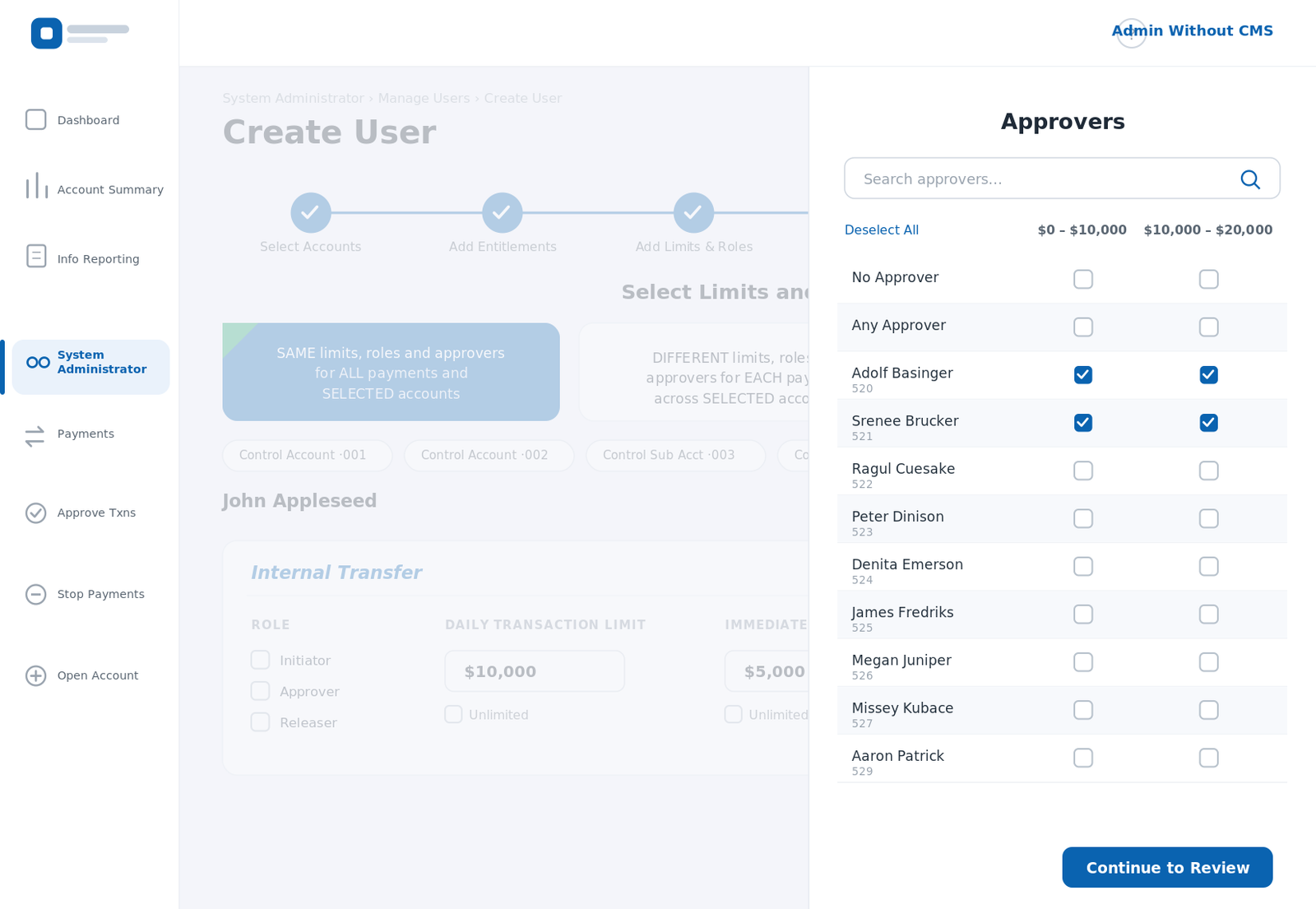
Approvals hang off the limits, not a separate silo. For each amount tier — $0–10k, $10–20k and up — the admin picks who signs off, per payment type and per account, from the same searchable list.
Everything an admin chose — accounts, entitlements, limits, approvers — rolls up into a single review, then commits. No matter how deep the matrix went, it ends the same calm way.
Set it once — sign-off built in.